Imagine a 120-seat restaurant: a large main dining hall, four private rooms, an outdoor terrace, a bar area and back-of-house spaces. Each of these areas has its own requirements for volume, music genre and schedule. A waiter shouldn't have to run to the server rack to lower the volume in the VIP room. The floor manager wants to switch the entire restaurant from "business lunch" to "evening cocktail" mode with a single tap. And the owner wants control from their iPhone, iPad or laptop — even from another city.
All of this is possible with the AUDAC ecosystem: MAIA / LUNA series audio matrix processors, MFA/SMA amplifiers, CELO ceiling speakers, NWP wall panels and the unified AUDAC Touch 2 app. In this article — a detailed breakdown of a sound system architecture for a restaurant with private rooms: from equipment selection to specific automation scenarios.
Why zoning is a necessity, not a luxury
Restaurant audio is not "background music from a single speaker." Research shows that properly selected volume and genre affect the average guest dwell time (and consequently the average check). Too loud in a private room — guests can't have a conversation. Too quiet in the main hall during a party — the atmosphere disappears. The terrace needs higher volume to compensate for street noise, while the bar area needs punchy bass.
Without zoning, you manage the entire restaurant as a single space. With zoning, each room lives its own audio life — but they're all coordinated from a single center.
System architecture: equipment for our example
For a restaurant with a main hall, four private rooms, a terrace and a bar, we need at least 7 independent zones. Here is a typical configuration using AUDAC equipment:
Central processor — MAIA8 or LUNA-F audio matrix
The heart of the system is a multi-zone audio matrix processor. For 7 zones, the MAIA8 (Mixing Audio Matrix Processor, 16 inputs / 8 outputs) or LUNA-F (Flexible Network Audio Matrix Processor, up to 16 stereo / 32 mono zones) is optimal. The processor accepts audio sources and routes any of them to any output zone — with independent volume control, equalization and priorities.
- MAIA8 — 8 zones, 16 inputs, preconfigured architecture in AUDAC Touch™, rapid deployment without complex programming, control via TCP/IP, RS232 and wall panels.
- LUNA-F — up to 16 stereo zones, native Dante™/AES67 support (16×16 channels expandable to 64×64), powerful dual SHARC DSP, 24 GPIO ports, configuration via AUDAC Touch 2, ideal for large and scalable projects.
Amplification — MFA series or SMA/SMQ
Each zone requires an amplifier. For private rooms (10–20 m²), the MFA208 (2×40W) is sufficient. For the main hall and terrace — the SMA series (up to 500W per channel) or SMQ (4 channels). All amplifiers are controlled via AUDAC Touch 2 and support WaveDynamics™ — a proprietary DSP processing technology.
Speakers — CELO and ATEO series
For the main hall and private room ceilings — CELO6 or CELO8 (6" / 8" ceiling speakers). For low frequencies — CELO8S ceiling subwoofers. For the terrace — weatherproof ATEO series with IP55 rating. In the bar area — XENO8 or VEXO8 for more powerful, directional sound.
Wall panels — NWP series
Each private room gets an AUDAC NWP series wall panel — a networked Dante™/AES67 wall panel that serves as an audio input or output depending on the model. For restaurants, the NWP300 model (3.5 mm jack + built-in Bluetooth receiver) is optimal: guests connect their phone via Bluetooth or aux cable and listen to their own music right in the room. The panel is PoE-powered, mounts in a standard EU 80×80 mm wall box and is automatically discovered by AUDAC Touch™. Built-in DSP with WaveDynamics™ provides automatic gain control (AGC), a 7-band parametric equalizer and mixing — all configured via AUDAC Touch™.
Wall controller — NCP105
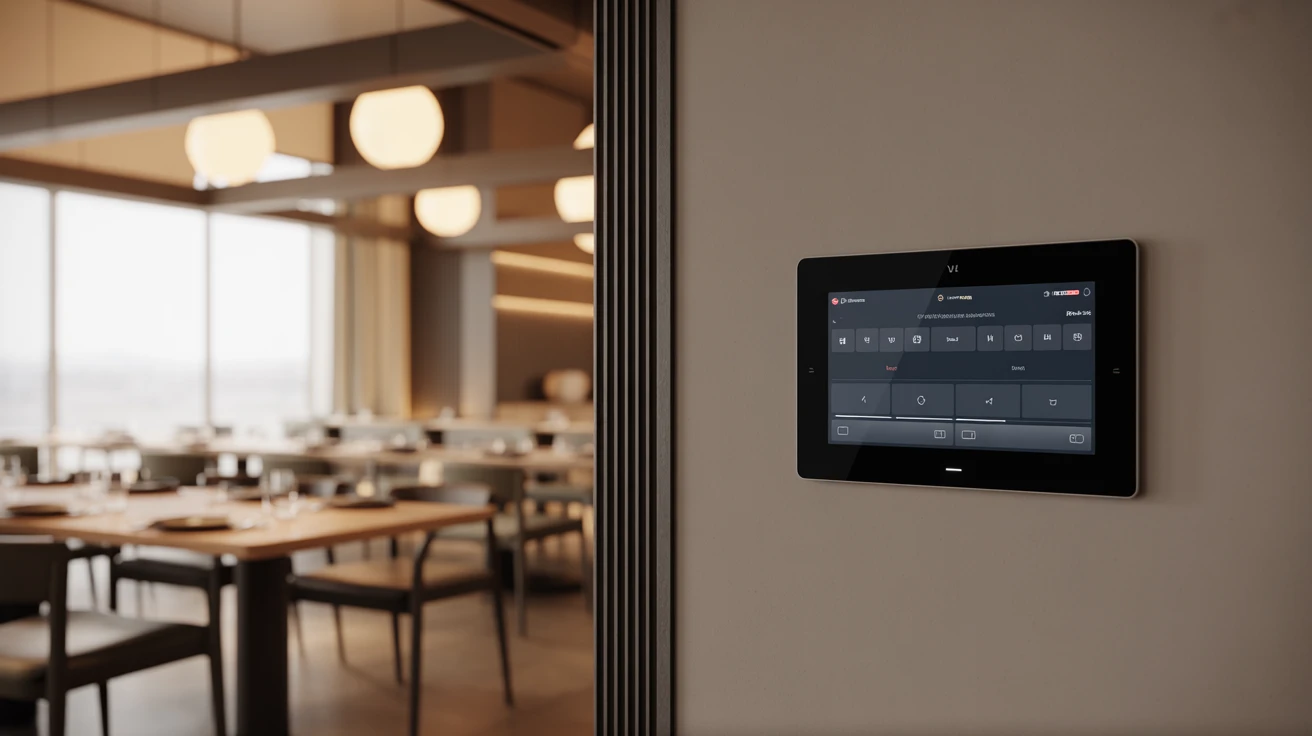
For volume control and source switching in zones, the AUDAC NCP105 universal network PoE wall panel controller is used. It features a push rotary encoder with 360° RGB LED light bar (volume / mute on press) and four programmable capacitive touch buttons with RGB indicators. Up to 8 programming layers allow a single panel to control multiple zones: for example, layer 1 — volume and sources for room 1, layer 2 — room 2. The NCP105 supports selection from 16 sources, scene management (up to 8 scenes), mute and zone switching. PoE-powered, configured via AUDAC Touch™, compatible with LUNA and NWP series.
Audio sources — SourceCon™ modules
SourceCon™ modules (e.g., NMP40) plug directly into the matrix or amplifier and provide connectivity to Spotify, Soundtrack Your Brand, AirPlay, Bluetooth and other streaming services. This means you don't need a separate computer or phone for music playback — the sources are built into the system.
AUDAC Touch 2: the unified control hub
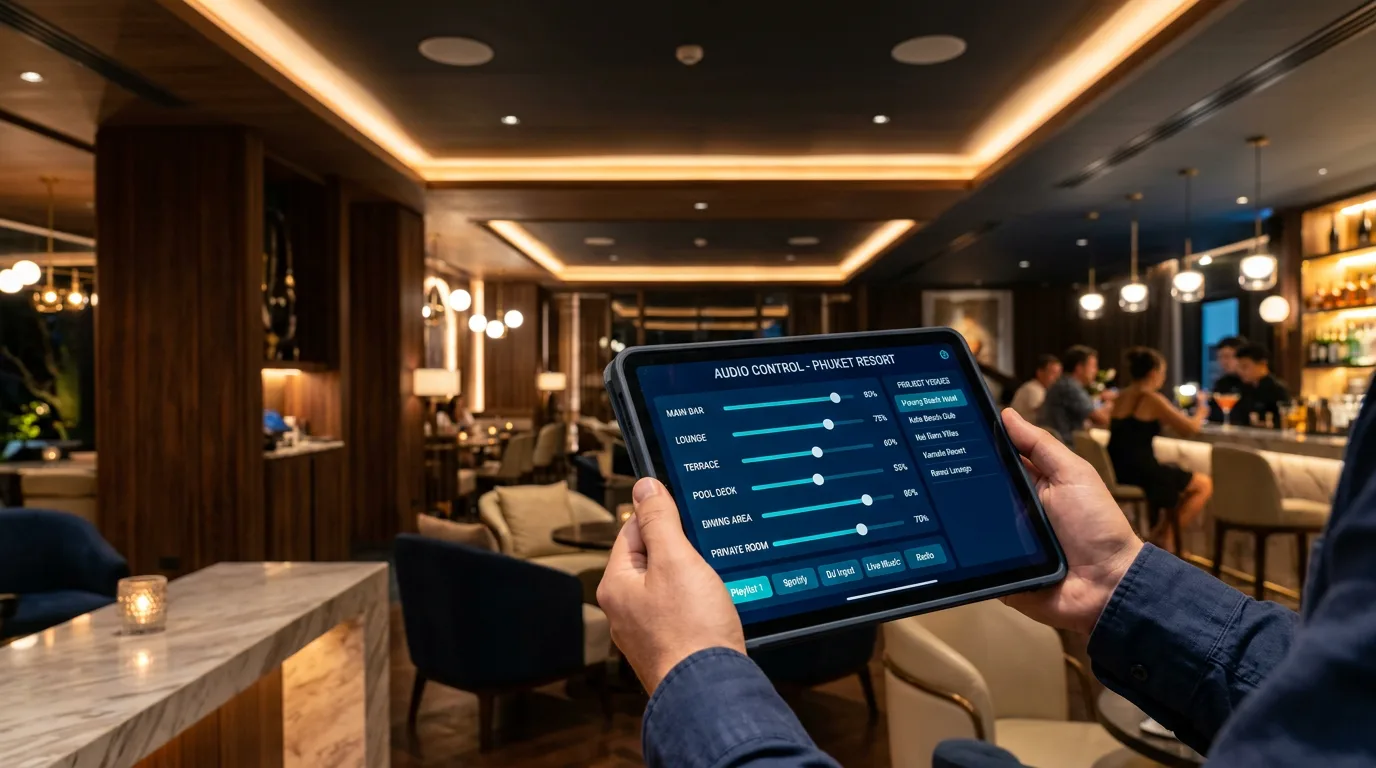
AUDAC Touch 2 is a free app for iOS, Android, Windows and Linux that turns any smartphone, tablet or computer into a control panel for the entire audio system. The app automatically discovers all AUDAC devices on the network and lets you manage them through customizable dashboards.
What you can do with AUDAC Touch 2
- Adjust volume for each zone independently — with graphical sliders and VU meters (signal level indicators).
- Assign audio source (Spotify, Bluetooth, line input) to each zone separately.
- Create virtual zones via TouchLink™ — combine multiple physical outputs into one logical zone.
- Launch Snapshots — saved presets that set volume, source and EQ for all zones with one tap.
- Configure Events — automated actions triggered by schedule or by trigger (GPIO, network command).
- Manage priorities — microphone announcements automatically duck music in all or selected zones.
- Control the system remotely — from a phone, tablet or computer, connect from anywhere via VPN or cloud-synced accounts.
Access levels
AUDAC Touch 2 supports a cloud-synced account system. You can create three access levels: administrator (full control and configuration), operator (volume and source management, no DSP settings access) and user (view-only). For a restaurant, the typical setup is: owner = administrator, floor manager = operator, waiter = no app access (uses NWP wall panels instead).
Restaurant zones: a practical example
Let's look at the specific configuration for our restaurant:
Zone 1 — Main hall
Area ~150 m². 8 × CELO8 ceiling speakers + 2 × CELO8S subwoofers. SMA500 amplifier (2×250W). Default source — Soundtrack Your Brand playlist via NMP40. Volume: daytime 30%, evening 50%. This is the main zone that sets the restaurant's "mood."
Zones 2–5 — Private rooms
Each room 15–25 m². 2 × CELO6 ceiling speakers per room. MFA208 amplifier (one per two rooms — 2 channels at 40W). Each room has an NWP300 wall panel (guests connect their phone via Bluetooth or 3.5 mm aux cable) and an NCP105 controller for volume adjustment and source switching. By default, the room plays the restaurant's background playlist — guests switch to their own source via NCP105 or by connecting a phone to the NWP300. Maximum volume is limited by the administrator via AUDAC Touch™ to avoid disturbing neighboring rooms.
Zone 6 — Terrace
Open area ~80 m². 6 × ATEO6 weatherproof speakers (IP55). SMA350 amplifier (2×175W). Source — same playlist as main hall, but volume 15–20% higher to compensate for street noise. During rain, the zone automatically turns off (via GPIO signal from rain sensor or manual manager command).
Zone 7 — Bar
Area ~40 m². 2 × XENO8 speakers + 1 subwoofer. MFA216 amplifier (2×80W). Separate source — upbeat music via Spotify (NMP40). Volume higher than the hall. The bartender has an NWP400 wall panel (USB Type-C + Bluetooth) for laptop or phone connection and an NCP105 controller for quick volume adjustment and source switching.
Automation scenarios
The real power of AUDAC Touch 2 isn't just manual control — it's automation. Events and Snapshots let you program the sound system's behavior for every moment of the business day. Here are specific scenarios for our restaurant:
Scenario 1 — "Morning / Opening" (09:00)
Trigger: schedule (Event, daily at 09:00). Action: loads Snapshot "Morning." Main hall — light jazz, volume 20%. Terrace — on, volume 25%. Bar — off. Private rooms — background playlist at minimum volume (guests switch source and adjust volume via NCP105, or manager activates the desired mode manually via AUDAC Touch 2). All other zones — silence.
Scenario 2 — "Business Lunch" (11:30)
Trigger: schedule. Action: Snapshot "Lunch." Hall — "Chill Lounge" playlist, volume rises to 35%. Terrace — syncs with hall. Bar — turns on, volume 30%, "Acoustic Covers" playlist. Private rooms — ready but waiting for activation.
Scenario 3 — "Evening Mode" (18:00)
Trigger: schedule. Action: Snapshot "Evening." Hall — "Deep House / Nu-Disco," volume 50%. Terrace — "Tropical House," volume 55%. Bar — "Upbeat Electronic," volume 60%. Private rooms — restaurant background playlist, volume 25% (guests can change via NWP). No abrupt transition — AUDAC supports smooth volume fade when switching snapshots.
Scenario 4 — "Private Event"
Trigger: manual launch by operator via AUDAC Touch 2. Action: Snapshot "Private Event." All 4 private rooms merge into one virtual zone via TouchLink™. Source — host's microphone (processor mic input with priority). Background music ducks when mic is active (Talk Over). After the event — one tap returns the system to the current scheduled Snapshot.
Scenario 5 — "Emergency Announcement"
Trigger: button on NPM200 paging station or GPIO signal from fire alarm. Action: music in all zones simultaneously ducks to minimum, microphone or pre-recorded voice message activates with maximum priority. Latency — under 100 ms when using Dante™. After alarm deactivation — automatic return to previous state.
Scenario 6 — "Closing" (23:00)
Trigger: schedule. Action: Snapshot "Closing." 30 minutes before closing, volume in all zones smoothly decreases by 30%. At 23:00 — terrace turns off, bar drops to 20%, hall to 15%. At 23:30 — all zones turn off. System enters sleep mode until next morning.
Wall panels and controllers: NWP + NCP105
In the AUDAC system, zone-level control is provided by two types of wall-mounted devices. NWP series panels are networked Dante™/AES67 wall devices with built-in DSP (WaveDynamics™) that serve as audio inputs or outputs depending on the model. The lineup includes NWP220 (2× XLR in + BT), NWP222 (2× XLR in/out + BT), NWP300 (3.5 mm jack in + BT), NWP320 (2× XLR in + 3.5 mm + BT) and NWP400 (USB Type-C in + BT). NWP panels allow:
- Connect a guest's personal audio source — via Bluetooth or 3.5 mm / USB Type-C cable (depending on model).
- Transmit audio directly into the Dante™ network — no analog cable runs, with full control via AUDAC Touch™.
- Automatically maintain stable input volume — built-in AGC normalizes sound regardless of the guest's device.
- Process the signal with built-in DSP — 7-band parametric equalizer WaveTune™, gain adjustment, mixing.
The NCP105 controller is a physical control panel with a rotary encoder and 4 programmable buttons. It gives guests and staff the ability to adjust volume (encoder + mute on press) and switch audio sources (buttons). Up to 8 programming layers — one panel can control multiple zones. Supports up to 16 sources and 8 scenes. Like NWP panels, the NCP105 is PoE-powered and configured via AUDAC Touch™.
In our example, each private room has a pair: NWP300 (audio input via 3.5 mm/BT) + NCP105 (volume and source control). The bartender has NWP400 + NCP105. Other zones are managed via AUDAC Touch™ (manager/owner) or automatically by schedule.
TouchLink™: virtual zones without rewiring
TouchLink™ is an AUDAC technology that combines multiple physical outputs (amplifier channels) into a single virtual zone directly in AUDAC Touch 2 — without any physical wiring changes. Simply assign the same TouchLink™ Zone ID to multiple devices and they respond as one: one volume, one source, one mute.
Practical example: normally, each of the 4 private rooms is an independent zone. But when a banquet for 40 people is booked, the partitions between rooms are removed, and the manager merges all 4 rooms into one TouchLink™ zone via AUDAC Touch 2. Now one volume slider controls all 8 speakers, one source plays in sync, and the host's microphone works across all rooms simultaneously. After the event — one tap, and rooms are independent again.
Integration with external systems
AUDAC Touch 2 can control more than just audio. Via TCP/IP, UDP, RS232 and RS485 protocols, the app sends commands to third-party devices:
- Lighting — when switching from "Lunch" to "Evening" Snapshot, main lights dim and decorative lighting activates simultaneously with the sound change (if the lighting system supports TCP/IP control or AUDAC ARU relay unit).
- Loxone smart home — AUDAC integrates with Loxone Miniserver via TCP/IP. Loxone scenarios can trigger AUDAC Snapshots, and vice versa.
- CCTV — when "Emergency Announcement" activates, a simultaneous command can be sent to the NVR to record an alarm event.
- HVAC — when opening/closing the terrace zone, air conditioning can be synchronized.
Dante™: when a restaurant becomes an event venue
If the restaurant regularly hosts live performances, DJ sets or corporate events, it's worth building Dante™ support into the system from the start — a professional protocol for transmitting audio over Ethernet. The LUNA-F processor supports Dante™/AES67 natively (16×16 channels expandable to 64×64), while MFA amplifiers support it via the optional ANI44XT module.
With Dante™, live sound from a mixing console can be routed to any zone via standard Ethernet cable — no analog runs needed. A DJ in the bar zone plays through Dante, and their mix broadcasts to the terrace and hall simultaneously, with under 1ms latency. Meanwhile, private rooms continue playing their own playlists.
Cost and ROI
The cost of an AUDAC-based sound system depends on the number of zones, chosen amplifier and speaker models. Read more about the value of investing in AUDAC in our article why AUDAC is worth the investment. Submit a request — we'll prepare an individual quote for your venue.
With proper maintenance, a professional AUDAC system runs for years, saves staff time (automated scenarios instead of manual control), protects from legal risks (licensed streaming services via Soundtrack Your Brand) and creates an atmosphere guests are willing to pay for.
How WLTT delivers AUDAC audio projects
WLTT is an engineering company specializing in comprehensive IT and AV solutions for restaurants, hotels and commercial properties in Thailand. We design, install and configure AUDAC sound systems turnkey:
- Acoustic calculation — determining speaker count and placement for uniform coverage in each zone.
- Design — cable routing diagrams, equipment specifications, NWP panel installation points.
- Installation — cable runs, speaker/amplifier/panel mounting, Ethernet network connection.
- Configuration — matrix setup, zone configuration in AUDAC Touch 2, Snapshot and Event programming.
- Integration — connecting with Loxone, Hikvision CCTV, Syrve POS and other client systems.
- Training — staff receives daily operation instructions, manager gets AUDAC Touch 2 training.
We work in Phuket, Bangkok, Pattaya and throughout Thailand. If you're planning a restaurant, café, bar or any space where sound matters — contact us for a free consultation.