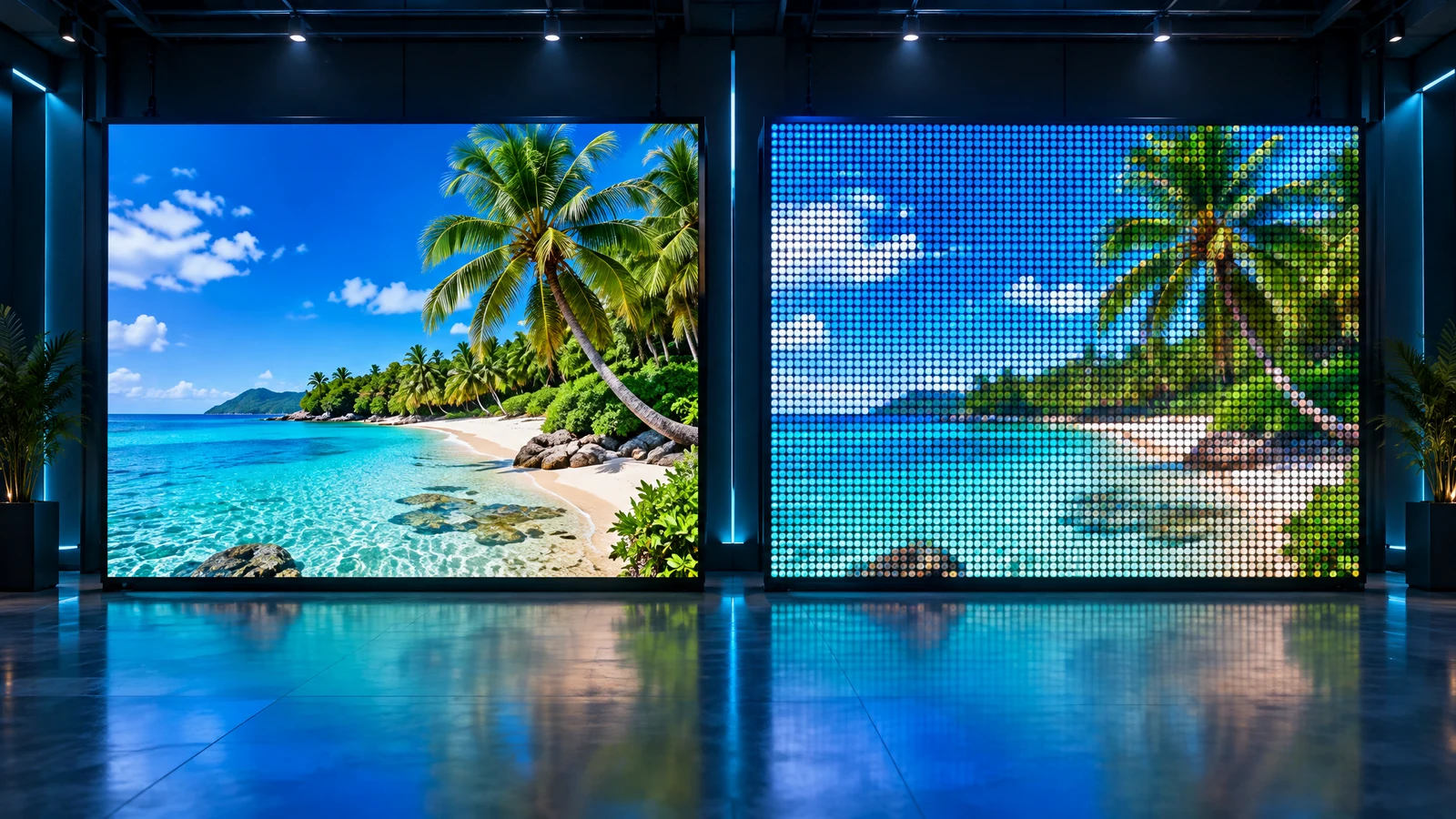
Pixel pitch affects both the image quality and cost of an LED screen. A coarse pitch can make the grid visible up close and small text difficult to read. A finer pitch costs more, yet viewers further away may not notice the extra detail. Our free online simulator makes this trade-off easier to discuss before buying.
What is pixel pitch?
Pixel pitch, marked P, is the distance in millimetres between the centres of adjacent pixels. P2.5 means 2.5 mm; P10 means 10 mm. A smaller pitch provides more pixels across the same screen area and therefore more detail.
A rough planning rule puts the minimum viewing distance in metres around the pitch in millimetres, with a comfortable distance about two to three times further. This is a guideline, not a guarantee that pixels will be invisible: eyesight, content and panel construction matter.
What the simulator offers
- 11 pitches: P0.9, P1.2, P1.5, P1.9, P2.5, P2.9, P3.9, P4.8, P6, P10 and P20.
- Close-up · 1:1, 3 m, 5 m and 10 m presets. The default is 10 m; custom distance supports 0.1–200 m in 0.1 m increments.
- A gradient, nature and beach photos, plus waterfall and surfing videos for comparing different content.
- Physical-scale calibration using a standard 85.60 × 53.98 mm bank card, held horizontally or vertically. The card is only a ruler: no photo or card details are requested, and calibration stays in your browser.
- Viewing-distance guidance and a monitor-resolution warning. If the grid is too fine to resolve, try 1:1 rather than assuming every screen will look identical.
- Fullscreen viewing, a short link and a downloadable PNG QR code. Shared settings preserve pitch, distance, content and playback state, but not device-specific calibration.
- Russian, English and Thai interfaces.
Four steps from comparison to enquiry
- 1Open the simulator and optionally calibrate physical scale with a card. Recheck after changing monitor or browser zoom.
- 2Set the actual viewer distance and compare pitches on photos and video.
- 3Use the form below the simulator to select the screen type and desired width and height in metres. Pixel pitch stays synchronised with the simulator.
- 4Submit the form or choose Discuss with AI assistant. Review the configuration placed in the message field, then send it.
Starting points for comparison
| Use | Viewing distance | Pitch range to compare |
|---|---|---|
| Counters, showcases, meeting rooms | 1–2 m | P0.9–P1.5 |
| Menus, small text, information displays | 1.5–3 m | P1.5–P2.5 |
| Video in halls and lobbies | 3–5 m | P2.5–P3.9 |
| Stages and large halls | 5–10 m | P3.9–P6 |
| Outdoor advertising and façades | 10–30 m and beyond | P6–P20 |
These ranges are starting points, not a promise that every pitch suits every distance in its row. Small text also depends on character size and total screen resolution. Brightness, direct sunlight, location, screen area and budget all affect the final choice.
Configure and request a proposal
The form offers indoor or outdoor fixed and stage/modular screens, indoor COB, flexible LED, and help choosing. Enter the desired dimensions, pitch and requirements. Dimensions are preliminary: final sizes follow the module layout, and type/pitch availability must be confirmed. The form does not calculate a price.
Important limitations
This is an illustrative pixel-structure simulation, not a scale model of the whole LED wall or a performance guarantee. Monitor resolution and brightness, eyesight, ambient light and the real panel optics affect perception. Calibration improves scale but does not turn a monitor into an LED display. Make the final choice after a consultation and, where possible, a sample demonstration. The article cover is a concept illustration, not a simulator screenshot.
Choose an LED screen for your project
WLTT supplies, installs and services LED screens in Thailand. Send all selection enquiries through the simulator form or the AI assistant. Choose a configuration and describe your location and content so we can prepare a suitable proposal.